ESP8266 Developer Zone The Official ESP8266 Forum 2017-09-15T22:28:23+08:00 https://bbs.espressif.com:443/feed.php?f=65&t=6403 2017-09-15T22:28:23+08:00 2017-09-15T22:28:23+08:00 https://bbs.espressif.com:443/viewtopic.php?t=6403&p=15790#p15790 <![CDATA[Re: Problem loading latest AT firmware]]>
That helped me start digging a bit more, but in the end I found that apparently I had a corrupted copy of the files.
I downloaded the full zip file from github, then manually selected the files and downloaded again.

Just in case, I moved all blank.bin downloads to the top and then reflashed, and it worked.

:D

Statistics: Posted by jrullan — Fri Sep 15, 2017 10:28 pm


]]>
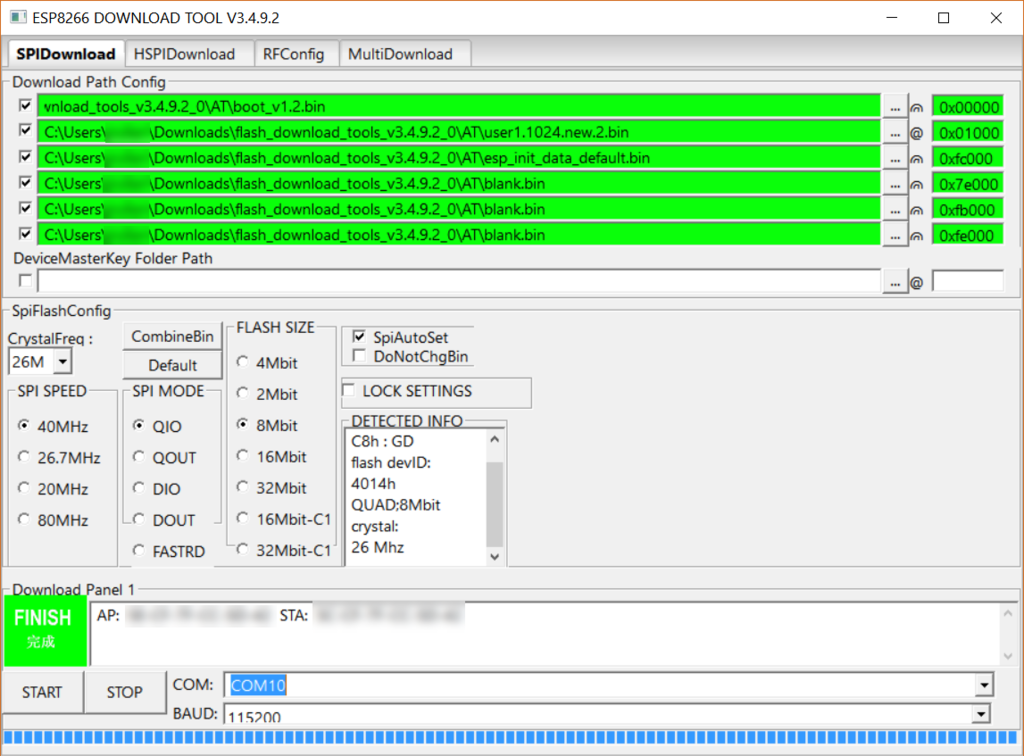
2017-09-15T11:50:43+08:00 2017-09-15T11:50:43+08:00 https://bbs.espressif.com:443/viewtopic.php?t=6403&p=15777#p15777 <![CDATA[Re: Problem loading latest AT firmware]]> Put the blank.bin in 0xfe000 to be the first one on the flash download tool.

Statistics: Posted by Her Mary — Fri Sep 15, 2017 11:50 am


]]>
2017-09-15T09:41:54+08:00 2017-09-15T09:41:54+08:00 https://bbs.espressif.com:443/viewtopic.php?t=6403&p=15773#p15773 <![CDATA[Problem loading latest AT firmware]]>
I'm kind of a newbie to the ESP8266 with regards to loading the newest AT firmware.
I have tried unsuccessfully to load the newest 2.1.0 AT bin into my ESP.
I'm using the RobotDyn Arduino Uno + ESP8266 board http://robotdyn.com/catalog/boards/uno_wifi_r3_atmega328p_esp8266_usb_ttl_ch340g_micro_usb/.

I followed several blogs and the documentation, and downloaded the firmware from https://github.com/espressif/ESP8266_NO ... master/bin

From there I picked the following files:
blank.bin
boot_v1.7.bin
esp_init_data_default.bin

For the user bin, there are two subdirectories, I used the binary from https://github.com/espressif/ESP8266_NO ... .new.2.bin

Here is the screenshot of the ESP download tool:

Image

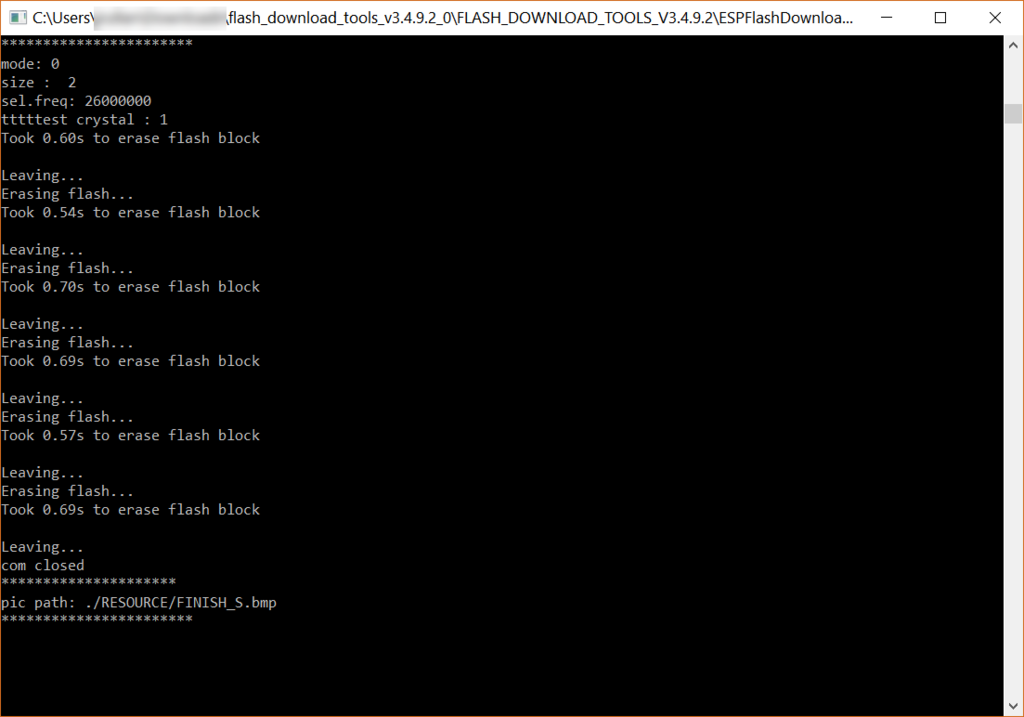
And the download log looks like this:

Image

One funny thing I noticed is that the log shows it erases the flash in several places but it's missing a writing message. I expected it to print out some message like "writing at ...".
It didn't show any error either so I was under the impression it worked..

Then after this operation completes the ESP it seems it didn't write the firmware at all.
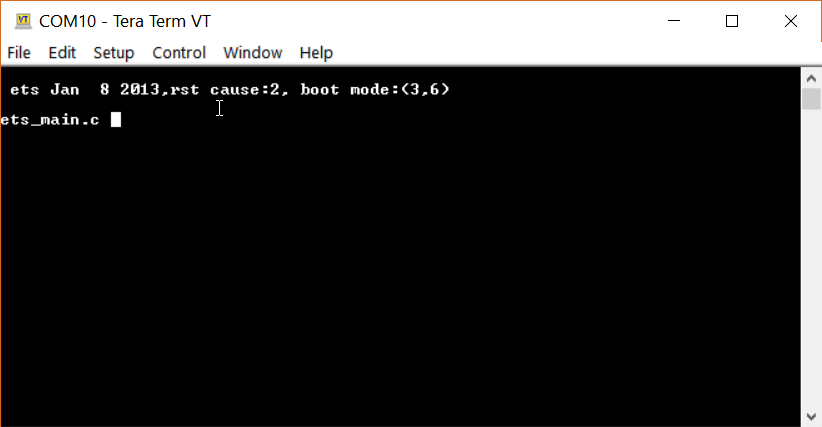
When I connect to the serial terminal, I can only see data @ 76800 baudrate, instead of at 115200, and only this message shows up:

Image

Can anyone tell me what's wrong?

Statistics: Posted by jrullan — Fri Sep 15, 2017 9:41 am


]]>